
Implement Gemini Notebook for onboarding, briefings and research.
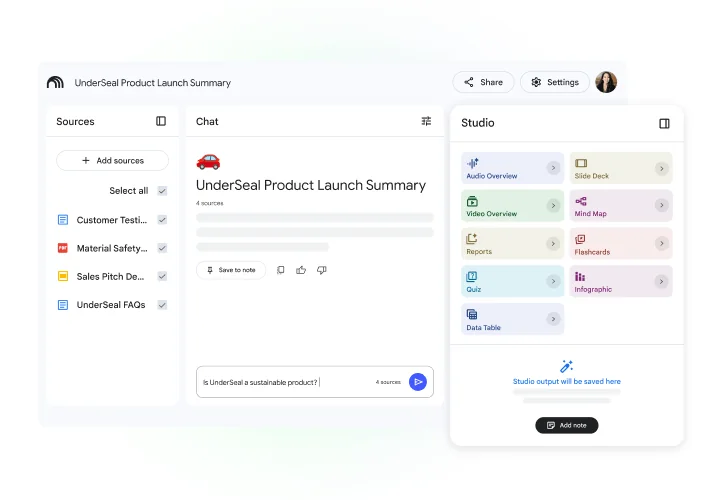
Astra Applications sets up Gemini Notebook, the Google research tool formerly called NotebookLM, for teams in Fort Wayne and Northeast Indiana. It answers from the sources you load and cites them, which suits onboarding, briefings and research. We help you curate those sources and name an owner for each set, build the notebooks, and train people to check citations before acting.
The problem we solve
A notebook is only as good as its sources. Outdated or conflicting documents produce confident-sounding answers that are wrong, and notebooks nobody maintains quietly go stale.
- Teams that onboard new hires with binders of documents
- Leaders who need briefings from long reports
- Organizations that know the tool as NotebookLM and want to use it properly at work
Where it earns its place
- Workflow 01
New-hire onboarding notebook
- When
- A new employee starts and has questions in week one.
- What happens
- A notebook holds approved handbooks, role guides and FAQs. The new hire asks questions and gets answers with citations to the source.
- Human review
- The hiring manager owns the sources and collects common questions from new hires each month.
- Workflow 02
Board and leadership briefings
- When
- A long report or set of meeting packets lands before a board meeting.
- What happens
- Leaders load the packet and generate summaries, key questions and, where available, audio overviews.
- Human review
- Briefing readers check cited passages before relying on a point.
- Workflow 03
Research synthesis
- When
- A team compares studies, regulations or vendor proposals.
- What happens
- Sources go into one notebook; the team asks comparative questions and builds a source-grounded summary.
- Human review
- The analyst confirms citations and notes where sources disagree.
How one task flows
Illustrative example, not a client result. This scenario shows the shape of the work. It does not describe a real client, deployment or outcome.
- Handbook
- Board packet
- Policy PDFs
- Questions answered from sources
- Citations kept
- Key points [1]
- Changes since last quarter [2]
- Questions to raise [3]
ScenarioA manufacturer onboards a new production supervisor.
- 1. Input
Safety manual, shift procedures, escalation chart and a supervisor FAQ.
- 2. Steps
- HR loads the four approved documents into the Supervisor Onboarding notebook.
- The new supervisor asks, "Who do I call if a line stops on second shift?"
- Gemini Notebook answers from the escalation chart and cites the page.
- 3. Example output
A short answer with a citation to the escalation chart.
- 4. Review point
HR collects common questions from new supervisors each month and updates the chart when contacts change.
Implementation deliverables
- 01Source inventory and curation rules: what goes in, who approves it, when it expires
- 02Configured notebooks for priority use cases
- 03Sharing guidance aligned with your Workspace settings
- 04Question templates for onboarding, briefings and research
- 05Training for notebook owners and users
Client handoff
You own the result. At handoff you receive:
- Notebook register with owners and review dates
- Source update procedure
- User guide with good and poor question examples
From discovery to rollout
- Phase 01
Discovery
We identify the document sets people search most and decide what qualifies as an approved source.
- Phase 02
Scoped pilot
One or two notebooks are used by a real onboarding cohort or leadership group.
- Phase 03
Rollout
We add notebooks, assign owners and train users.
- Phase 04
Optional improvement
Optional: source reviews and new notebooks as needs change.
Scope and pricing are set after discovery, based on what you need. Timelines depend on your systems, team availability and pilot findings.
Requirements
- Subscriptions
- Business features and data protections depend on your Google Workspace edition and Gemini Notebook availability. Vendor subscriptions are billed by the vendor and are separate from Astra's fee unless your proposal explicitly includes them.
- Access
- Owners for each source set and a Workspace admin for sharing settings.
- Human review
- Answers must be checked against cited sources before decisions are made.
About product capabilities: Google renamed NotebookLM to Gemini Notebook in 2026; it is the same standalone tool under a new name. Features such as audio overviews, sharing limits and source types vary by edition; we confirm against Google's current product pages.
Related experience and services
- NIIC Discovery Coach case study
Adjacent experience: a custom AI coach grounded in workshop teaching materials, used as a working MVP. This case study documents a custom AI system; it does not establish a Gemini Notebook implementation engagement.
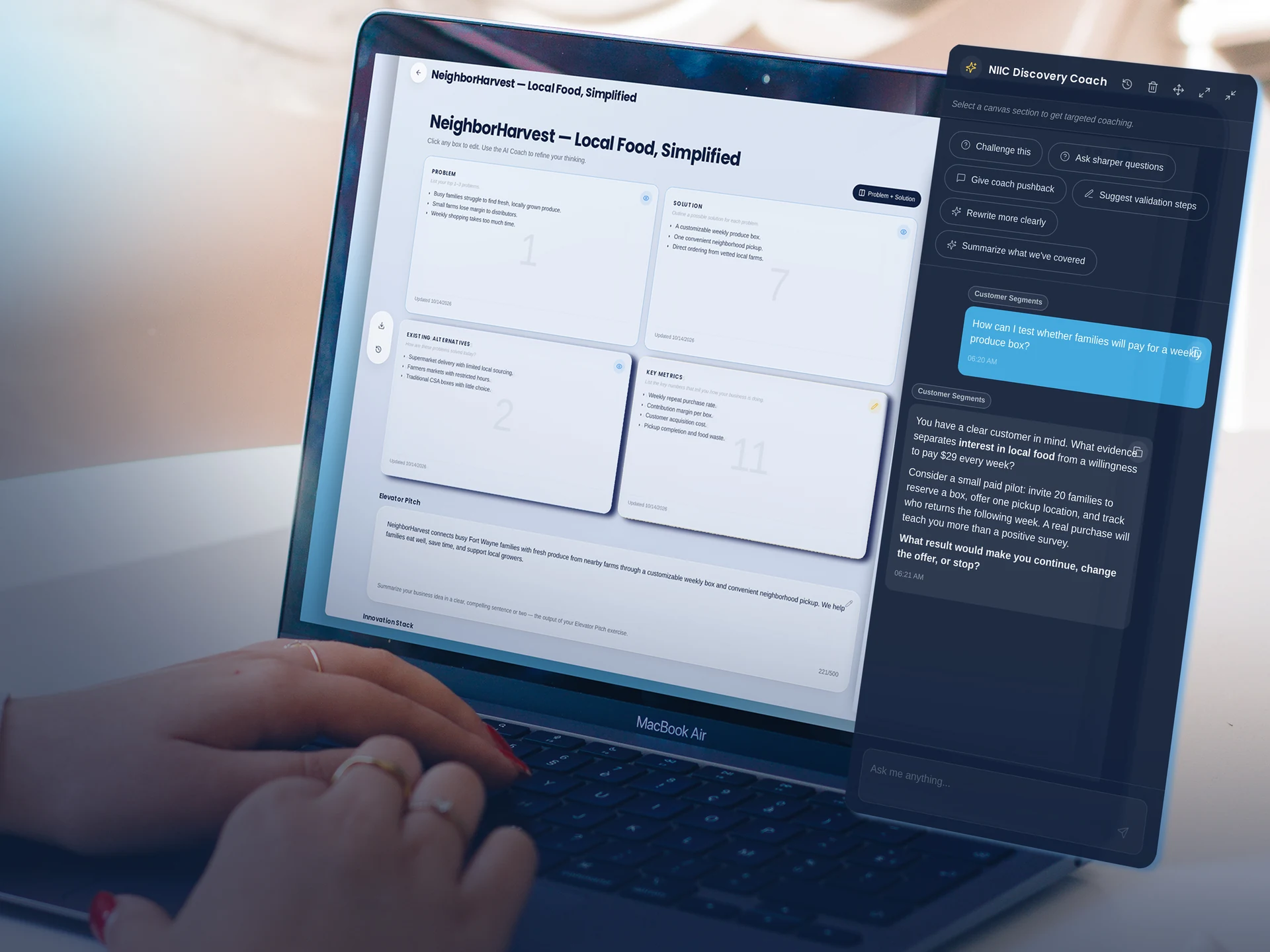
NIIC Discovery Coach. A custom AI coach grounded in workshop teaching materials guides each canvas section.
Common questions
Is this the same as NotebookLM?
Yes. Google renamed NotebookLM to Gemini Notebook in 2026. It is the same product, existing notebooks and links carry over, and what your team already knows about NotebookLM still applies.
How much effort is required?
Most of the effort is gathering and approving source documents and naming an owner for each notebook. Astra builds the notebooks, writes the question templates and runs the training.
Can it use documents from our other systems?
It works from sources you add. Documents from other systems can be exported or linked where supported.
What about licensing?
Gemini Notebook is available through personal Google accounts and eligible work or school accounts. Features, limits and data protections depend on the account and plan. We confirm the right setup for your organization during discovery; paid vendor plans are separate from Astra's implementation fee.
Who keeps notebooks current?
Named owners, using the update procedure we hand over. Optional ongoing improvement can include scheduled reviews.
We help your business put AI to work.
Serving Fort Wayne and Northeast Indiana. Tell us what you are trying to fix, and we will tell you plainly whether this is the right fit.